
How to Download Instagram Videos
The safest workflow is simple: copy the direct URL from Instagram, paste it into Savely, and download only public media you are allowed to save. These steps work on iPhone, Android, Windows, and Mac browsers.
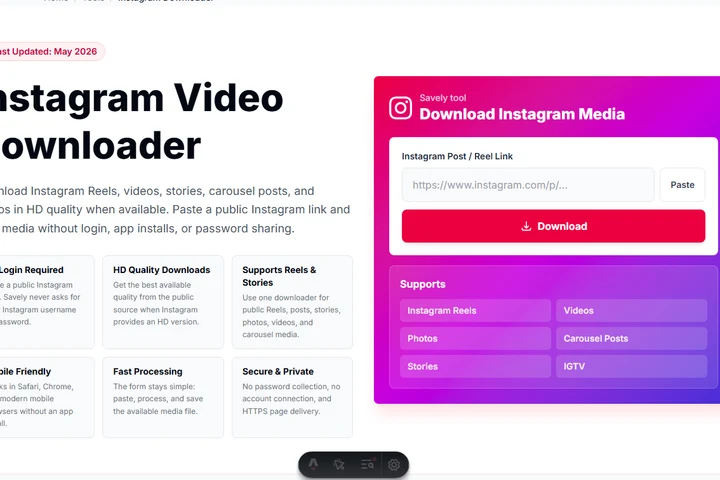
Open Instagram
Open the Instagram app or website and find the public Reel, post, story, video, or carousel you want to save.
Copy the post or reel URL
Tap Share or the three-dot menu, then choose Copy Link. A direct Instagram URL gives the downloader the cleanest signal.
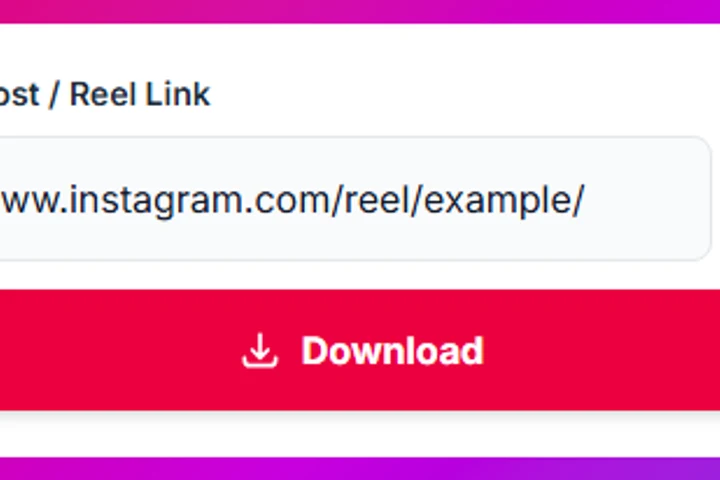
Paste the link into Savely
Return to this page, paste the Instagram URL into the input box, and check that it starts with https://www.instagram.com/.
Click Download
Press Download and wait for Savely to check the public media source and available video or image quality.
Save the file to your device
Choose the available result. On iPhone, the file usually appears in Files or Downloads; on desktop, it saves through your browser.
Recent Downloads
Stored only in this browser so you can retry recent public Instagram links.
Complete Instagram Downloader Guide
A high-quality Instagram downloader page should do more than accept a link. It should explain what can be downloaded, why some links fail, what quality users can expect, and how to use the saved file responsibly. Savely focuses on public Instagram media and keeps the tool browser-based so users do not need to install a mobile app, extension, or unknown desktop program.
The downloader is useful for saving your own Reels before editing, keeping public educational clips for offline viewing, collecting reference material with permission, or saving public photos and carousel posts you need later. It is not designed to bypass private profiles, follower-only content, login walls, or copyright rules. That boundary is important for trust, user safety, and AdSense-friendly content quality.
Instagram Reel Dimensions
Most Instagram Reels are designed for a vertical 9:16 frame. The common high-quality canvas is 1080 x 1920 pixels, which fills a phone screen without letterboxing. If you plan to repost your own content elsewhere, keep the original vertical file whenever possible instead of downloading and re-uploading a heavily compressed copy.
Instagram may still serve different versions depending on upload quality, network conditions, and platform processing. A downloader can only save the version available from the public source. If the original creator uploaded a low-resolution reel, the saved file cannot be magically turned into true HD.
Why Some Reels Fail to Download
A failed download usually has a practical reason: the reel was removed, the account is private, the post is restricted in your region, the link points to a profile instead of a single post, or Instagram is temporarily serving the media from a CDN that does not respond. Trying the direct Reel URL often fixes simple link issues.
Savely does not bypass Instagram privacy controls. If a video requires a login, follower approval, or age-gated session, the tool will not request your password to fetch it. That limitation protects users and creators, and it is part of keeping the page safe for everyday use.
Difference Between Reels, Stories, and Posts
Reels are short vertical videos built for discovery and full-screen viewing. Stories are temporary posts that usually disappear unless saved by the creator, and they can include photos, short clips, stickers, or text. Feed posts may be single photos, single videos, or carousel posts with several pieces of media in one URL.
That format difference matters because the downloader result can vary. A Reel usually returns one video. A photo post returns an image. A carousel may return multiple media items. A story may not be available if it has expired, is private, or is not exposed through a public URL.
Best Video Quality for Reposting
For reposting your own content, start with the original edit file whenever you have it. A downloaded Instagram file may already be compressed, which can reduce bitrate, soften details, and add artifacts around text or fast motion. Editing the original source gives better results than editing a downloaded copy.
If you only have the downloaded file, avoid repeated exports. Keep the 9:16 ratio, use a clean 1080 x 1920 timeline, avoid unnecessary filters, and export once at a reasonable bitrate. Each extra compression pass can make captions, faces, and motion look worse.
Why Use Savely Instead of Other Downloaders?
Savely keeps the Instagram downloader interface clean and direct. There are no forced browser extensions, no login prompt, and no confusing chain of popups before the result. The page is designed around the task users actually came for: paste a link, process it, and save the available media.
The page also includes troubleshooting, format notes, privacy guidance, and copyright reminders. That makes it more useful than a generic clone page and gives users realistic expectations about HD quality, private videos, expired stories, and region-restricted media.
Related Tools
Instagram Learning Hub
Trust, Privacy, and Responsible Use
Privacy First
Savely does not ask for an Instagram login and does not collect your Instagram password. The downloader processes the public URL you submit and shows available results in the browser. Recent download history, when shown, is stored only in your browser local storage.
About Savely
Savely is a utility platform for fast browser tools, including social media downloaders and media helpers. The goal is to keep common tasks simple, mobile-friendly, and free to use without unnecessary popups or forced extensions.
Copyright Notice
Download Instagram content only when you own it, have permission, or need a personal offline copy allowed by the creator and applicable rules. Do not repost, sell, or redistribute another creator's work without permission.